Explore procedural music and interactive sound design using Max, a visual programming environment for real-time music creation. In this undergraduate music technology course, you will learn to transform gesture, data, and probability into responsive musical systems that generate patterns, synthesis, and autonomous compositions for performance and experimentation.

Key Learning Outcomes
- Build interactive, real-time musical systems in Max that respond to gesture, data, and control input
- Design tempo-relative sequencers and pattern generators using event-based logic and probability
- Generate harmonic material and evolving chord progressions using probabilistic models and Markov chains
- Design synthesis and sound-generation systems in Max using FM, subtractive, and wavetable techniques
Course Description
This course is for students who are interested in building custom software to express interactive musical ideas. The environment we use is Max, a graphical programming language where ideas are connected with patch cables. Max is approachable to the novice, yet scalable and powerful for experienced programmers. You will convert human gestures into musically-useful data, and use data to power autonomous, responsive musical generators.
By the end of this course, you will be able to:
- Route, process, and transmit MIDI data between controllers, software instruments, and external hardware
- Manipulate data structures and lists to control musical processes and generative behavior
- Work with audio buffers and sample playback to integrate recorded sound into procedural systems
- Present and document Max patches for performance, experimentation, and further development
- Manipulate audio buffers and wavetable oscillators to create sample-based and procedural sound sources
Syllabus
Lesson 1: The Max Environment
- Navigating the Max Environment
- Adding New Objects to the Max Environment
- Changing Object Properties with the Attributes Inspector
- Presentation Mode
- Assignment 1: Creating an Interactive Visual Artwork
Lesson 2: MIDI Input
- Parsing MIDI Data
- Keyboard and Mouse Input
- Numbers, Symbols, and Lists
- Object Focus: Midiin, Midiout, Midiparse
- Assignment 2: Creating a MIDI Monitor Application
Lesson 3: MIDI Output
- Hosting VST Effects and Instruments
- The Snapshots Window
- Virtual Cables
- Object Focus: Noteout, Vst~, Send~, Receive~
- Assignment 3: Monitoring Incoming MIDI Data
Lesson 4: Sequencing Musical Patterns
- Storing and Recalling Integers
- Beat-Relative Event Syntax
- Constructing Messages
- Object Focus: Metro, Counter Select
- Assignment 4: Building a Tempo-Relative Step Sequencer
Lesson 5: Probability
- Probability
- Order of Operation
- List Manipulation
- Object Focus: Pack, Unpack, Join, Unjoin
- Assignment 5: Creating a MIDI Drum Machine
Lesson 6: Data Structures
- Itable Quantile Function
- The Coll Object
- Symbol Manipulation
- Object Focus: Histo, Table, Coll
- Assignment 6: Aleatoric Music Composition
Lesson 7: Chord Progressions and Markov Chains
- Symbols and Chords
- Chord Progression Charts
- Chord Progression Generation
- Object Focus: Prob, Iter, Zl
- Assignment 7: Composing with a Markov Chain Player
Lesson 8: Frequency Modulation Synthesis
- Complex Envelope Generators
- Carrier and Modulator Ratios
- FM Index
- Object Focus: Sig~, Cycle~, Function
- Assignment 8: Two-Operator Chowing FM Synthesizer with Sequencer-Modulated Parameters
Lesson 9: Subtractive Synthesis
- Subtractive Synthesis Signal Topology
- Oscillators
- Musical Filters
- Object Focus: Cycle~, Saw, Phasor~
- Assignment 9: Subtractive Synthesizer
Lesson 10: Working with Audio (Part 1)
- Audio in Files
- Managing Audio in a Buffer
- Manipulate Audio in a Buffer
- Object Focus: Sfplay~, Sfrecord~, Sfinfo~
- Assignment 10: Sample Playback Drum Machine
Lesson 11: Working with Audio (Part 2)
- Channel Filtering
- Audio Loops
- Synchronization
- Object Focus: Groove~
- Assignment 11: Loop Machine
Lesson 12: Wavetable Synthesizer
- Advanced Buffer Techniques
- Peek and Poke
- Wavetable Oscillators
- Object Focus: Wave~, Peek~, Multislider
- Assignment 12: Procedural Composition and Synthesis System
Requirements
Prerequisites and Course-Specific Requirements
Prerequisite Courses, Knowledge, and/or Skills
Completion of Music Production 101 and Sound Design for the Electronic Musician or equivalent knowledge and experience is required.
Textbook(s)
- No textbooks required
Software
- Cycling '74 Max 8 or higher
- Subscription or permanent license acceptable
- Max for Live is not sufficient for the course
Hardware
- MIDI keyboard controller
- One of the following studio monitoring options (both recommended):
- Studio monitors (pair), as well as an audio interface and necessary cables
- Over-ear studio headphones
Student Deals
After enrolling, be sure to check out our Student Deals page for various offers on software, hardware, and more. Please contact support@online.berklee.edu with any questions.
General Course Requirements
Below are the minimum requirements to access the course environment and participate in Live Classes. Please make sure to also check the Prerequisites and Course-Specific Requirements section above, and ensure your computer meets or exceeds the minimum system requirements for all software needed for your course.
Mac Users
- macOS Monterey 12.0 or later
PC Users
All Users
- Latest version of Google Chrome
- Zoom meeting software
- Webcam
- Speakers or headphones
- External or internal microphone
- Broadband Internet connection
Instructors
Author & Instructor
Matthew Davidson is an associate professor at Berklee College of Music’s Electronic Production and Design department. He is the course coordinator of the sound synthesis curriculum. Prior to Berklee, Matthew spent 20 years working on musical user interface design at MOTU, Cycling ’74, and others. He designed the user interface for a number of award-winning products, including Digital Performer, Volta, and MX4. Matthew is the co-author of BEAP, the virtual modular synthesis tool, and is the author of a number of well-known applications for monome open-source music interfaces. He has released music with Archetribe, Escape Philosophy, and Stretta. He performs internationally as Stretta. Matthew has been a Berklee College of Music faculty member since 2012.
Instructor
What's Next?
When taken for credit, Max Programming: Introduction to Procedural Music can be applied towards the completion of these related programs:
Related Certificate Programs
Related Degree Majors
Related Music Career Roles
Employers look for skills learned in this course, when hiring for the following music career roles:

ADR Recordist
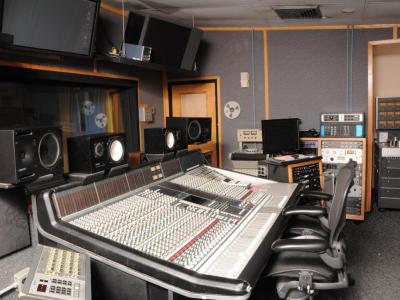
Assistant Engineer (Studio)
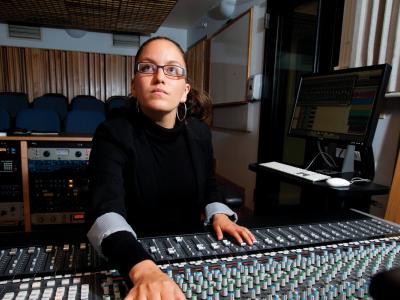
Audio Director
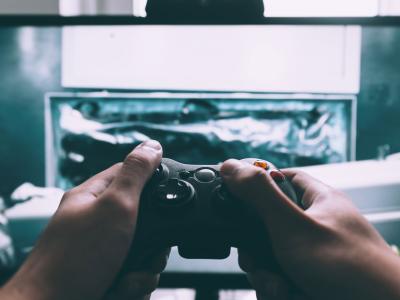
Audio Programmer (Video Games)
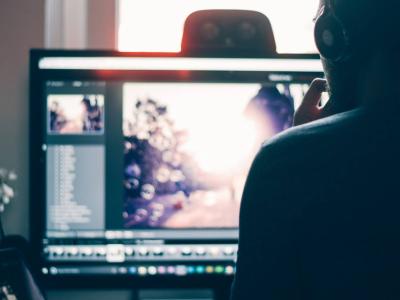
Dialogue Editor (Film, TV, and Video Games)
Field Recordist
Music Editor
Recording Engineer
Sound Designer (Theater)
Studio Maintenance Engineer
Technology Trainer/Specialist
Questions?
Contact our Academic Advisors by phone at 1-866-BERKLEE (U.S.), 1-617-747-2146 (INT'L), or by email at advisors@online.berklee.edu.


